



Browse Categories
 Diagnostic & Programming Tools
写作 Jeep Wrangler Digital Instrument Cluster & Multimedia Display
$880.00Original price was: $880.00.$780.00Current price is: $780.00.UPS SERVICE
Shipping & Returns
STORES
Find retail locations
AIR FREIGHT
GLOBAL SHIPPING
CUSTOMER CARE
For All Your Questions
 Keys & Immobilizer
 Instrument Clusters & Displays
**New Arrivals**
-
 Full LCD Dashboard Mileage Correction Emulator for Honda Civic, Integra, HR-V, ZR-V 2022-2025 Kilometer CAN Filter
-
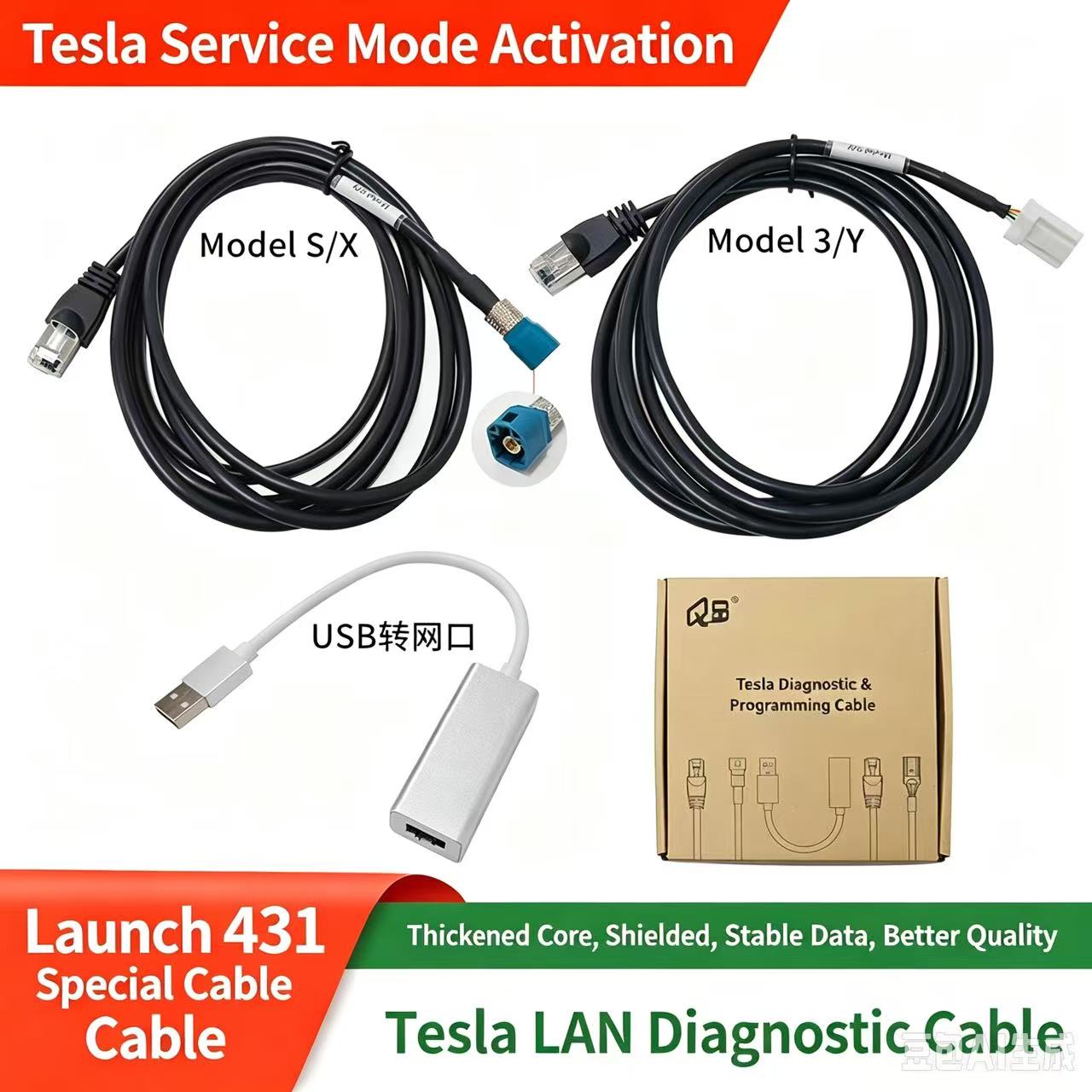 Tesla LAN Diagnostic Cable Kit
$200.00Original price was: $200.00.$100.00Current price is: $100.00. -
 Automotive ECU & Electronics Heat-Resistant Silicone Repair Mat
$200.00Original price was: $200.00.$100.00Current price is: $100.00. -
 NANKADF GA Series 0–32V 0–10A High-Precision Adjustable DC Bench Power Supply
-
- Test Platforms & Bench Tools ECU


 ECU & Control Modules


 Lighting & Signaling
 Performance & Modification
- Electrical Parts
- Chassis & Suspension
- Multimedia & Audio
- EV & Hybrid Electronics






Shopping cart
Sign in
No account yet?
Create an Accounterror: Content is protected !!